A2P 10DLC — opt-in workflow documentation
How customers opt in to texts
This page documents, for carrier and campaign review, exactly how end users consent to receive text messages from a business that uses Rally. It is public and requires no login. The business's own sign-up page, which carries every disclosure below, can be reviewed directly at rallyai.net/b/m2innovate.
Sender
Both campaigns documented here are registered by M2Innovate LLC, which uses the Rally software to message its own existing customers about the work it performs for them. M2Innovate LLC is the registered brand and the sender. Rally is the software platform it uses, and hosts its sign-up page on this site.
Campaigns and their opt-in methods
Each campaign declares its own opt-in methods. They are listed separately so neither is read as the other.
Pilot campaign (verified 2026-09-16): Web Form + Via Text. Methods 1 and 2 below are its evidence. Verbal (Method 3) is not a declared opt-in method on this campaign; an opt-in method cannot be added to an already-approved campaign, which is why the second campaign exists.
Verbal test campaign (Registration in progress; not yet approved.): Web Form + Via Text + Verbal. Methods 1, 2 and 3 below are its evidence. Method 3 is documented in full under its own heading, with the exact versioned wording the customer hears or is read.
Consent is collected by these methods only. It is not collected on paper, by QR code, or from any purchased, rented, or shared list. No numbers are ever purchased, rented, or shared. Mobile opt-in information is never shared with third parties for marketing purposes.
Consent is optional
SMS consent is optional. It is not bundled into any Terms of Service, and it is not a condition of purchase or of receiving service. A customer who declines still receives the same service from the business. The web-form consent checkbox is a separate, standalone control that is unchecked by default.
Method 1 — Web form (both campaigns)
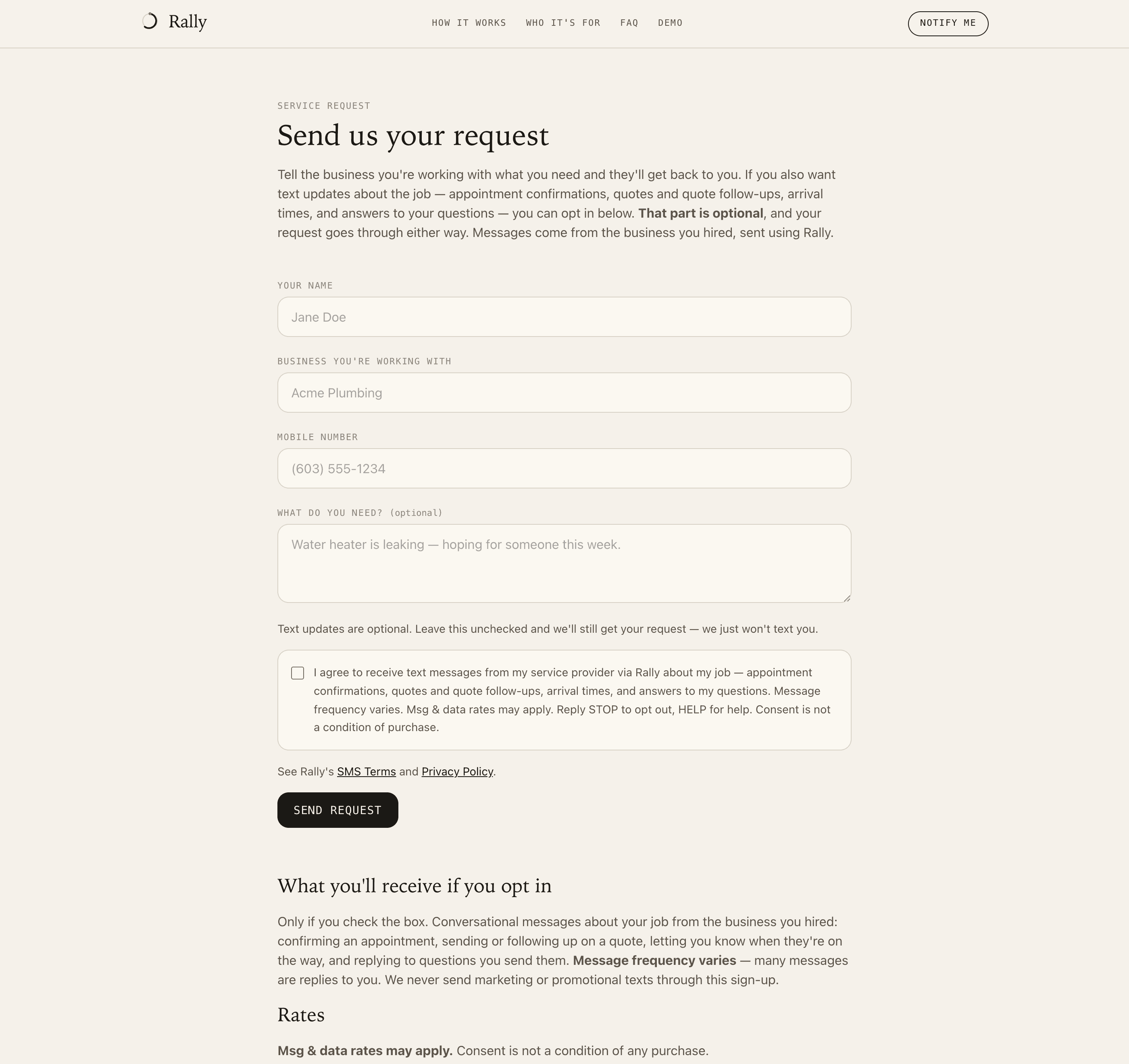
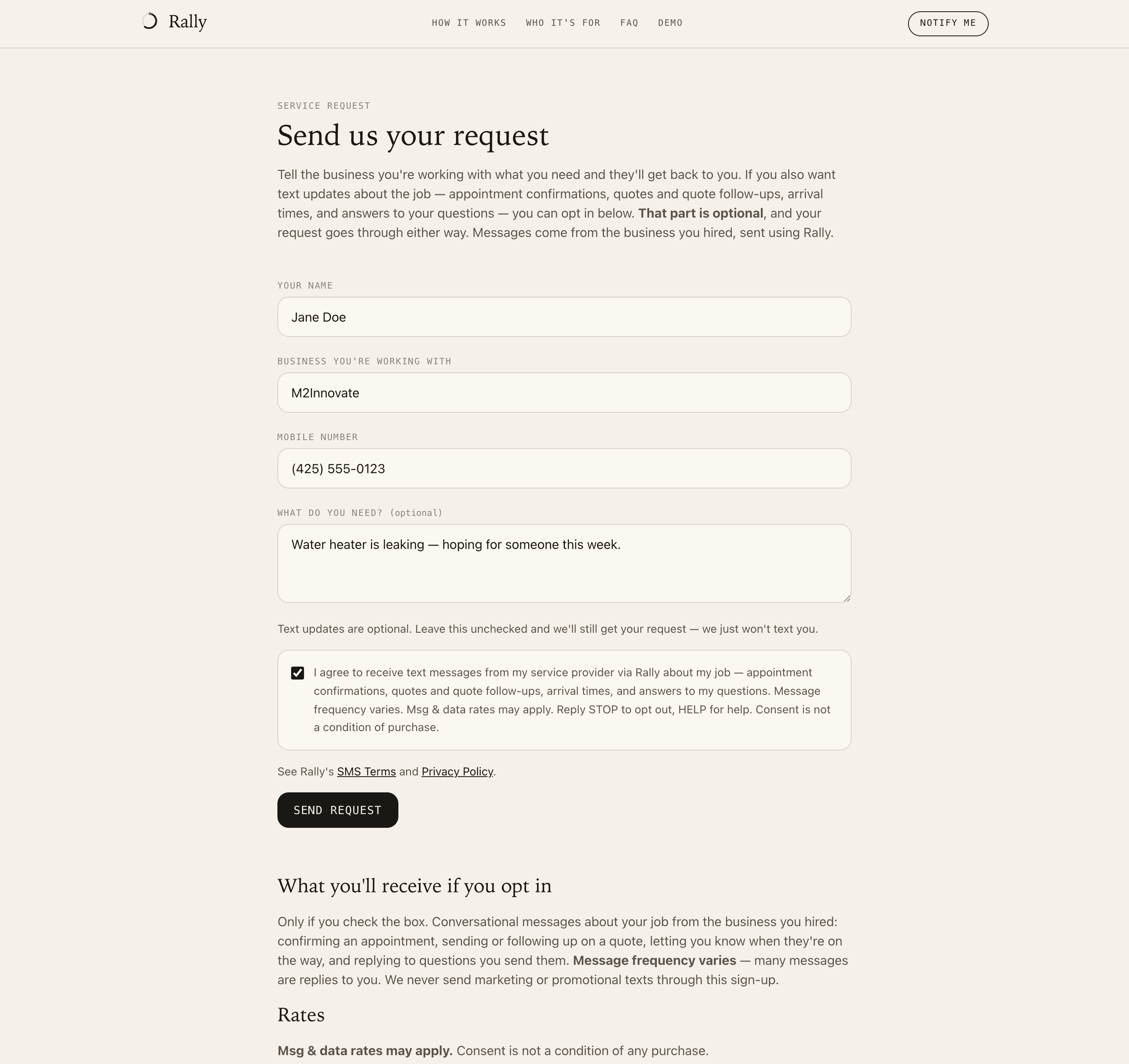
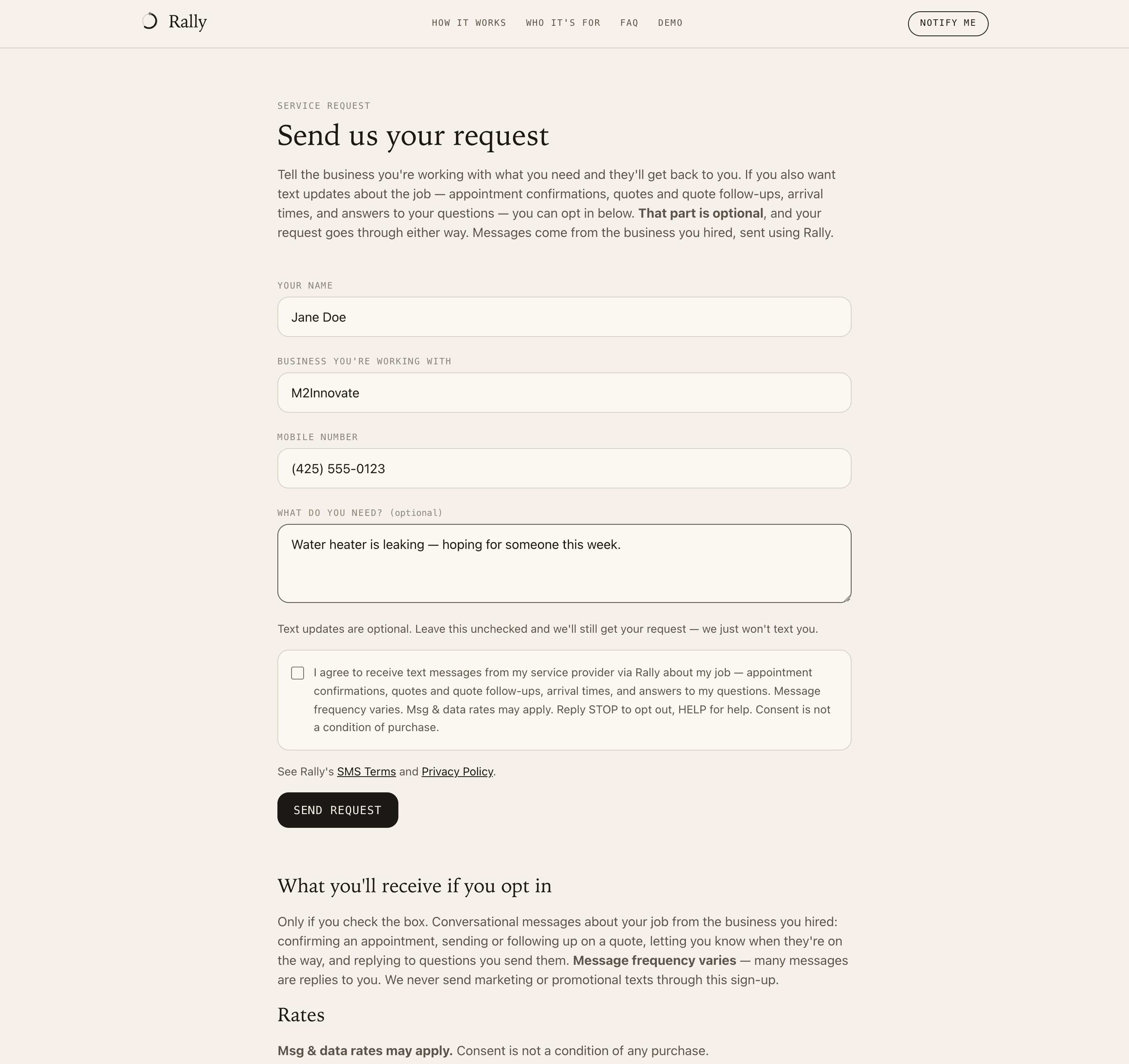
Public, unauthenticated, no payment required: https://rallyai.net/b/m2innovate. The page names M2Innovate LLC as the sender; the customer is never asked which business they are working with. The customer enters their name and mobile number, and optionally a service request.
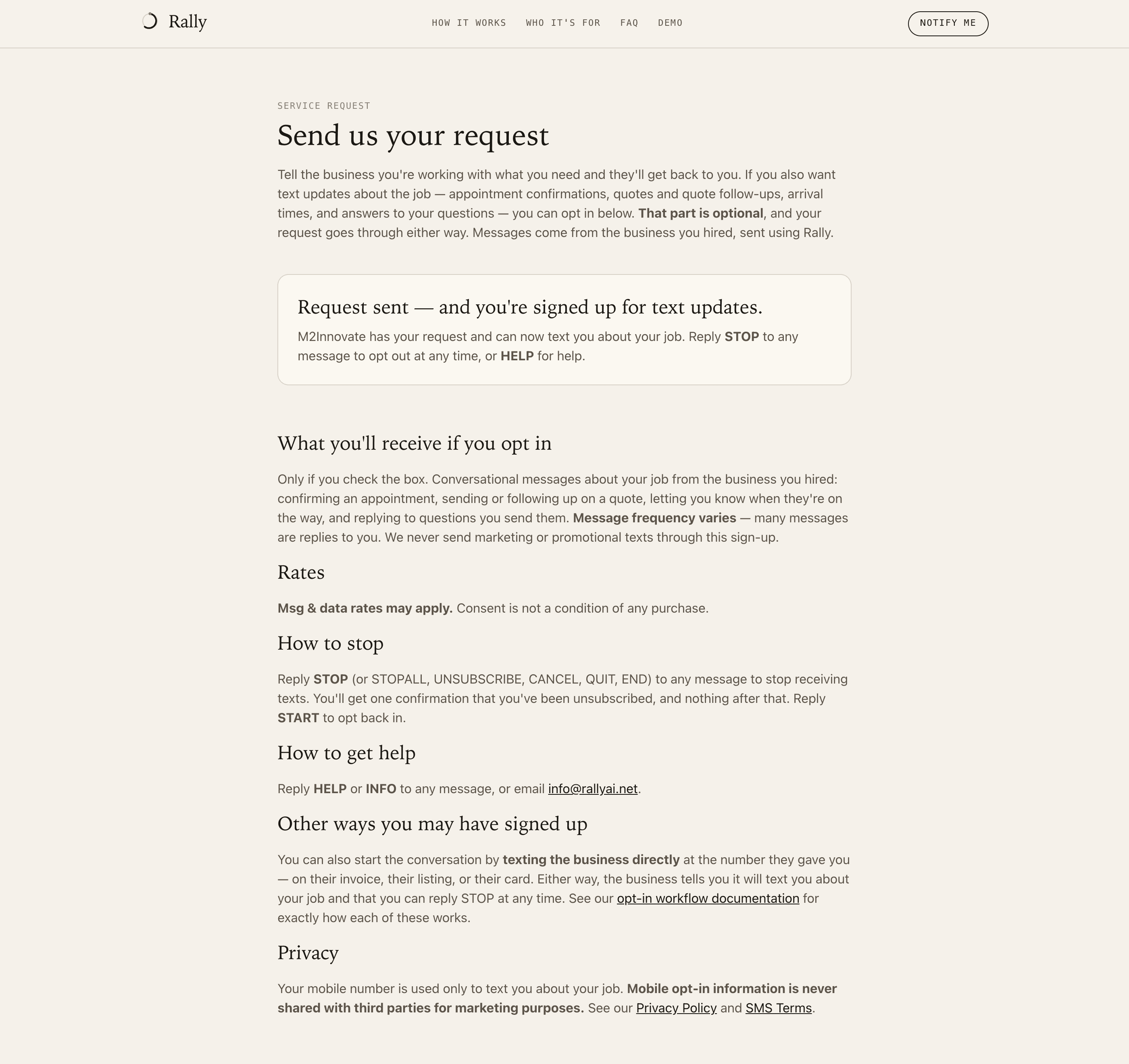
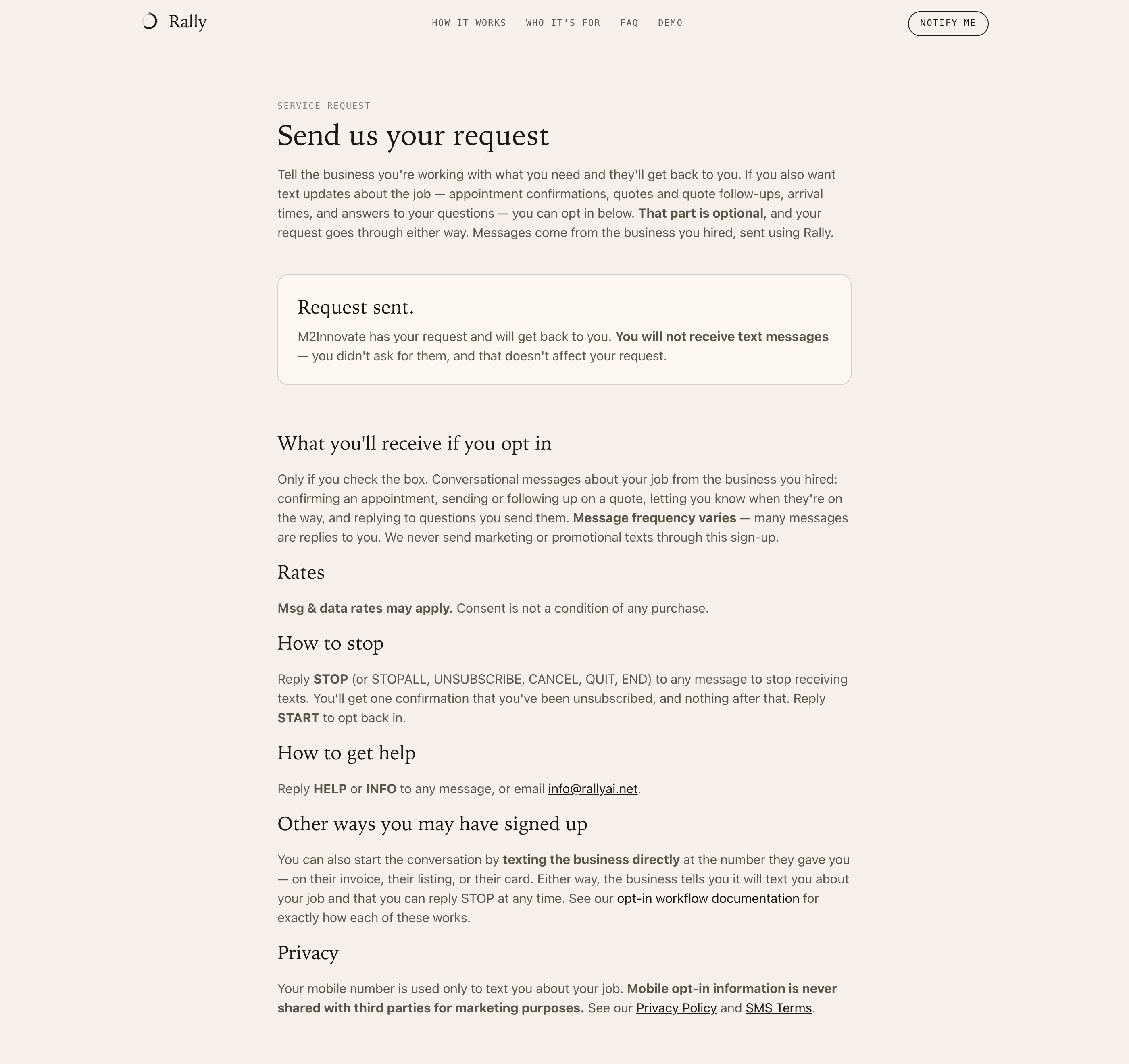
The consent checkbox is optional. It is unchecked by default, and the form submits either way: a customer who leaves it unchecked still has their request delivered to the business and simply receives no text messages. Figures 4 and 5 below show that path end to end. The label reads, verbatim (consent wording version 2026-09-08.v1):
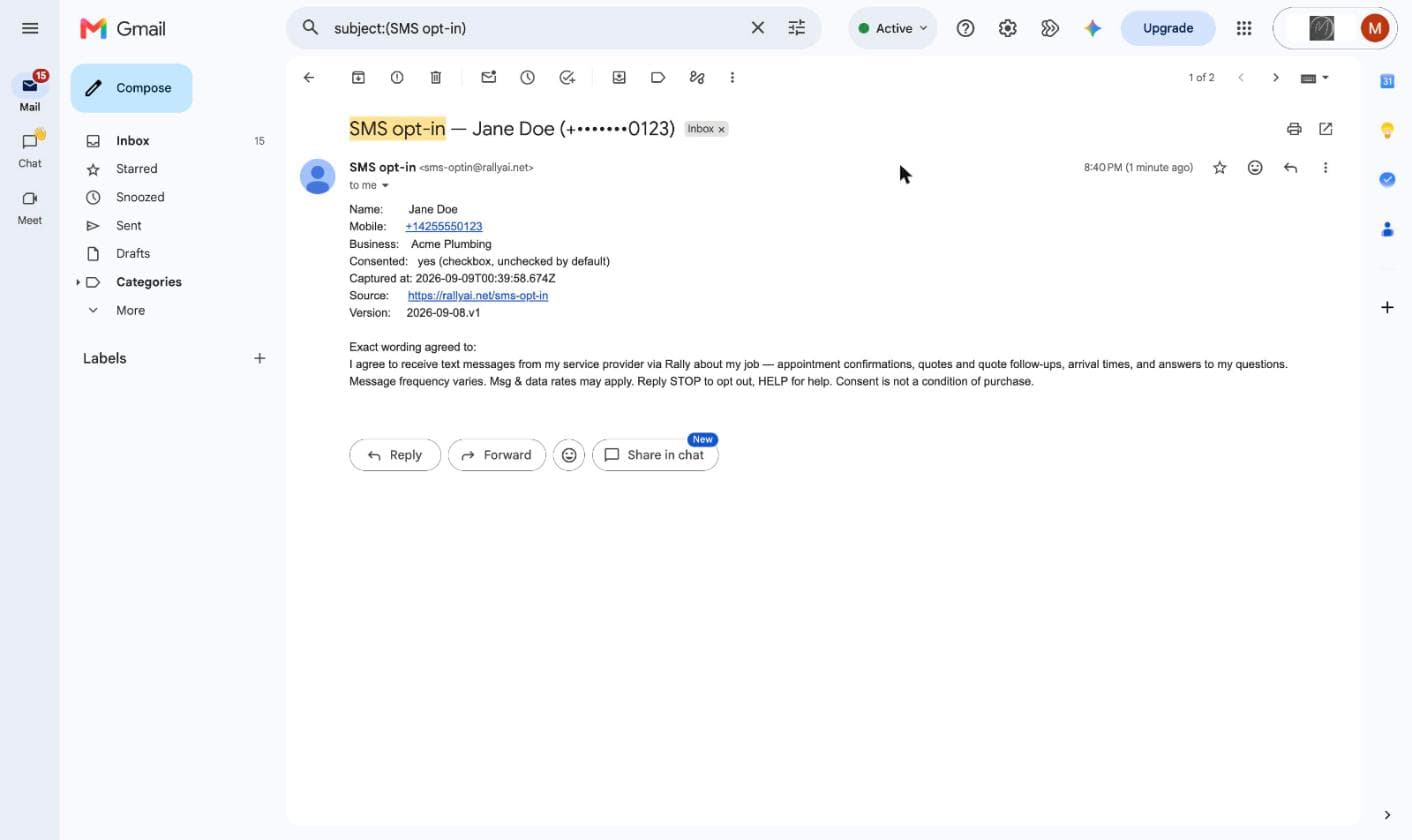
I agree to receive text messages from my service provider via Rally about my job - appointment confirmations, quotes and quote follow-ups, arrival times, and answers to my questions. Message frequency varies. Msg & data rates may apply. Reply STOP to opt out, HELP for help. Consent is not a condition of purchase.
Links to SMS Terms and Privacy Policy sit directly beneath the checkbox, at the point of collection. Every consented submission is recorded with the customer's name, mobile number, the business whose page it was, the exact wording agreed to, the wording version, and a timestamp.
Screenshots 1–6 show the form as captured on 2026-09-08. The live page shows exactly this wording; it differs from the screenshots only in that the business name is fixed by the page instead of typed.
Method 2 — Customer texts the business first (both campaigns)
The customer sends the first message to the business's published number, shown with the full disclosures on rallyai.net/b/m2innovate. Most messages on these campaigns are replies within a conversation the customer started. Every message the business sends from this campaign's number carries a sender-attribution and opt-out line appended by the system, which reads, verbatim:
Via Rally - text STOP to opt out
Why there is no screenshot for this method. Producing a real first reply requires sending an application-to-person message, which requires an approved campaign. We will not submit a simulated message image, because a mocked-up screenshot is not evidence of anything.
Method 3 — Verbal, on a phone call (Verbal test campaign only)
The customer calls the business's number. The business has one number, published on its sign-up page: it is on the pilot campaign today and moves to the Verbal test campaign once that campaign is approved. Every scripted sentence quoted below is fixed, versioned text.
- The call rings the business first. Rally rings the phones of the people the business has set up to take its calls, all at once, for about 18 seconds. Calls are recorded and transcribed, so before the call is connected the caller first hears, verbatim:
This call may be recorded and transcribed.
- If someone at the business answers, they read this script to the customer (script version 2026-10-04.2; [Provider Name] is the business's name, which the app fills in, e.g. “This is M2Innovate LLC.”):
This is [Provider Name]. I'll text you from this number about your job. Message frequency varies; message and data rates may apply. Reply STOP to opt out or HELP for help. Is that OK?
After the customer says yes, the business records it with one tap on that customer's screen in the Rally app. The button is labelled They called — texting is OK, and the script is displayed beneath it so the business reads the registered wording, not its own. Each record stores the customer, the business, the person who tapped, the script version shown, and a timestamp. Rally refuses the record if the app showed any script version other than the current one. - If nobody answers, the call goes to the business's voicemail. Before the beep the caller hears this greeting (greeting version 2026-10-04.2; [Provider Name] is replaced by the name of the business the customer called). Its closing sentences are the SMS disclosure: the named business may reply by text to the number the customer is calling from, message frequency varies, message and data rates may apply, and STOP and HELP.
This call is being recorded by Rally on behalf of [Provider Name] so your message can be transcribed and delivered to them. If you do not wish to be recorded, please hang up now and contact [Provider Name] directly. Otherwise, please leave your message after the tone. [Provider Name] may reply by text message to the number you're calling from. Message frequency varies; message and data rates may apply. Reply STOP to opt out or HELP for help.
- A caller who leaves a voicemail may get one automated text. It is sent at most once per customer, says plainly that it is automated, and carries the STOP line from Method 2 (text version 2026-10-15.1; [Provider Name] is replaced by the business name):
Thanks for calling [Provider Name]. They'll call or text you back soon. This is an automated text.
A business can switch this text to a draft it approves before it is sent. Any later message about the job is written or approved by the business.
Screenshot of the attestation button with script version 2026-10-04.2: pending. It will be captured from a released build of the app showing this version. No mock-up is shown in its place.
Required disclosures
The web form (Method 1) discloses all of the following at the point of collection, in the label quoted above:
- who is sending (the business, using Rally)
- what the messages are about (appointments, quotes and follow-ups, arrival times, replies)
- that message frequency varies
- that Msg & data rates may apply
- that consent is not a condition of purchase
- the STOP and HELP keywords
On the conversational paths the customer started the contact. Each fixed text quoted above discloses exactly what it says:
- Method 2 — appended line (“Via Rally - text STOP to opt out”): who is sending, and how to stop.
- Method 3 — answered-call script: who is sending (the business, by name, from this number), that the messages are about the customer's job, that message frequency varies, that message and data rates may apply, STOP and HELP, and an explicit question the customer answers before anything is recorded.
- Method 3 — voicemail greeting: who is recording and on whose behalf (Rally on behalf of the named business), that the named business may reply by text to the number the customer is calling from, that message frequency varies, that message and data rates may apply, and STOP and HELP.
How to stop
Reply STOP (or STOPALL, UNSUBSCRIBE, CANCEL, QUIT, END, OPTOUT, REVOKE) to any message to stop receiving texts. The customer receives one confirmation and nothing after that. Reply START, UNSTOP, or YES to opt back in. These keywords are honored both at the carrier layer and in Rally itself, which records the opt-out against the customer and blocks further sends.
How to get help
Reply HELP to any message. HELP is answered through the messaging provider's standard keyword handling. For anything further, or to reach a person directly, email info@rallyai.net.